


1. Introduction
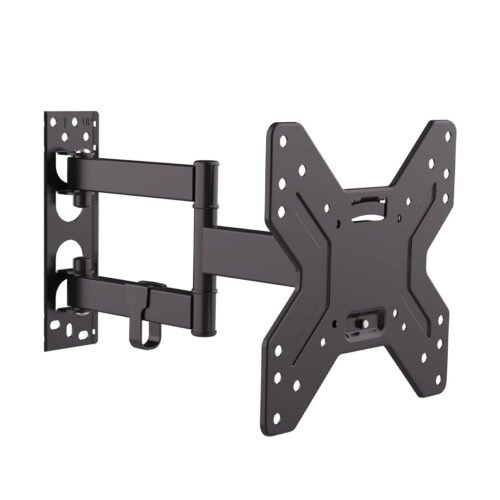
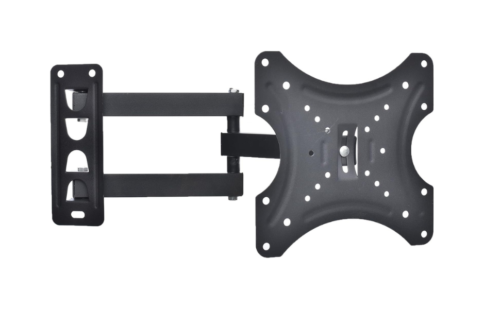
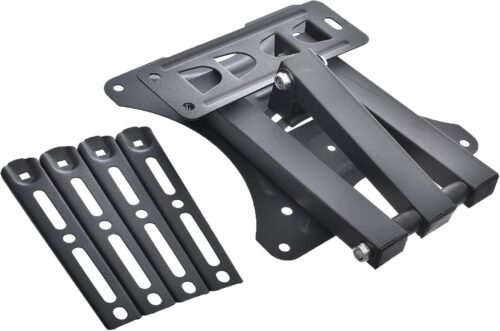
This manual provides detailed instructions for the safe and correct installation, operation, and maintenance of your Home Design HDL-117B-2 Full Motion TV Wall Mount. Please read this manual thoroughly before installation and retain it for future reference. Incorrect installation may result in product damage or personal injury.
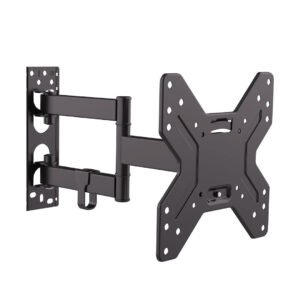
The Home Design HDL-117B-2 is designed to securely mount 14-55 inch televisions, offering full motion capabilities including tilt, swivel, and rotation for optimal viewing angles.
2. Safety Information
- Weight Capacity: Do not exceed the maximum weight capacity specified for this mount. Refer to the Specifications section for details.
- TV Size: This mount is designed for TVs between 14 and 55 inches. Ensure your TV’s VESA pattern is compatible.
- Wall Structure: Ensure the mounting surface (wall) can safely support the combined weight of the mount and your television. Consult a professional if unsure.
- Tools: Use appropriate tools for installation. Wear safety glasses and gloves.
- Children: Keep children away during installation. Small parts may be a choking hazard.
- Damage: Do not install if any parts are missing or damaged. Contact customer support for replacement parts.
The Home Design HDL-117B-2 offers full motion adjustments to optimize your viewing experience.
- Swivel: Gently push or pull the TV to swivel it left or right.
- Tilt: The TV can be tilted up or down. Some mounts may have knobs or bolts that need to be loosened slightly before tilting and retightened afterward.
- Extension/Retraction: Pull the TV away from the wall to extend the arm, or push it back towards the wall to retract it.
- Rotation: Some models allow for slight rotation to level the TV after installation. Adjust as needed.
Always adjust the TV smoothly and avoid sudden, forceful movements. Ensure all connections remain secure after adjustments.
Reviews
There are no reviews yet.